.avif)
A revolving door of employees isn't just frustrating—it's expensive. When good people leave, it's often because they feel lost or unsupported. They lack clear direction on their roles and how they fit into the bigger picture. This is where a great training manual becomes your most valuable tool. It’s more than just a document; it’s a roadmap for success that keeps your team engaged and aligned. We'll walk through exactly how to write a training manual, from the table of contents to real-world examples, that stops the churn and builds a stronger team.
An effective employee training manual is the secret to having happy employees and a well-organized company. In fact, according to LinkedIn’s 2023 Workplace Learning Report, 94% of employees said they would stay with a company longer if there was an investment in learning.
You can use Heretto to create many different kinds of documents, and an employee manual is one of them. In this article, we’re diving into the benefits of having a great employee training guide and tips for creating one of your own.
Quick Takeaways
- Effective employee training manuals are online, downloadable, easily editable, interactive, compatible with all devices, and user-feedback friendly
- Digital employee training manuals can be easily created using a component content management system, or CCMS
- Benefits of using a CCMS to create an employee manual are: simple content management, easy access, effortless collaboration, multimedia output, and more
- Include a table of contents, use a template, and feature a progress meter to keep both authors and users engaged
Creating an effective employee training manual is vital to having an educated workforce. A content management system ensures a positive experience for authors and users.
What Is an Employee Training Manual?
An employee training manual is a detailed guide or document specifically designed to help employees reach optimal performance within their organizational roles. Employee training manuals can be used in-person, on-demand, or remotely to:
- Onboard new employees
- Roll out new software or systems
- Address new protocols or processes
- Share SOPs, or standard operating procedures
- Publish product instructions and information
When creating an employee manual, the publishing possibilities are endless. Although, when deciding which format is best for your company, there are a few qualities to prioritize that ensure an effective document:
- Online
- Downloadable
- Easily editable
- Digital interaction
- Device compatibility
- User feedback
- Single Source of Truth (SSoT)
When these features are integrated into an employee training manual, they help enhance your organization's performance. Luckily, creating an effective online guide for employees with these qualities is simple with a component content management system, or CCMS.
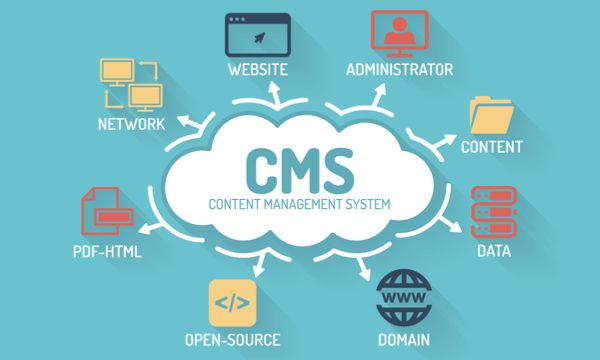
Typical content management systems give control over company documents, but in a different way than a CCMS does. Component content management systems offer a higher level of control at a component level, whereas CMS manages content at a document level. This makes CCMS more flexible when it comes to creating employee training manuals.
When employee training manuals are created through a DITA XML powered CCMS, they can be written and edited by single authors or several authors simultaneously. Any modifications made are trackable and streamlined throughout the entire system in real-time, eliminating the need to make repetitive updates. A CCMS also provides a single source of truth, making sure that everyone in the organization has access to the same information.
Manual vs. Handbook: What’s the Difference?
It’s common to hear "manual" and "handbook" used interchangeably, but they serve very different functions. Think of it this way: a handbook communicates the company's rules and values—the "what" and the "why." It’s a high-level guide for all employees covering topics like company mission, conduct expectations, and benefits. A training manual, however, is all about the "how." It provides detailed, step-by-step instructions on performing specific jobs and tasks. For instance, your handbook might outline the company policy on customer communication, while a training manual would provide the exact procedures and scripts for handling a support call. Both are critical, and keeping them aligned is essential for consistency. Using a CCMS helps ensure that the detailed procedures in your manuals always reflect the high-level policies outlined in your handbook, maintaining a single source of truth across all your documentation.
The Purpose and Benefits of a Training Manual
Beyond just being a document, a well-crafted training manual is a strategic asset. It serves as the foundation for a competent, consistent, and confident workforce. When you invest in creating a clear and accessible manual, you’re not just checking a box for the HR department; you’re building a scalable system for employee success that pays dividends in efficiency, knowledge retention, and morale.
Ensure Consistency with Standardization
Without a central guide, employee training can become a game of telephone. Information passed from one employee to another can change, leading to inconsistent processes and confusion. A training manual solves this by creating a single source of truth. As one guide on the topic notes, "Training manuals create consistency by ensuring everyone follows the same steps and rules, which reduces confusion." This standardization is critical for quality control and operational efficiency. By establishing a clear, approved set of procedures, you ensure every team member, whether new or experienced, operates from the same playbook, which is essential for effective content governance and process control.
Preserve Institutional Knowledge
Employees are your company's greatest asset, but they won't stay forever. When a seasoned team member leaves, they can take years of valuable, undocumented knowledge with them. A training manual acts as a repository for this critical information, safeguarding it from being lost. This practice of "keeping important company information safe" ensures that expertise remains within the organization, even through periods of turnover. By systematically managing your structured content in a manual, you create a living library of institutional knowledge that helps new hires get up to speed faster and makes your entire operation more resilient.
Reduce Stress for New Hires
Starting a new job is overwhelming. New hires are flooded with names, processes, and cultural norms, all while trying to make a good impression. A comprehensive training manual is their lifeline. It provides a clear roadmap for their new role and empowers them to find answers independently. This self-service approach helps "reduce stress for new hires by guiding them through their new roles and the company culture quickly." When you can deliver this information on demand to any device, you give them the tools to succeed from day one. This thoughtful approach to publishing content not only accelerates their onboarding but also shows them that the company is invested in their success.
How to Create an Effective Training Manual
A truly effective training manual is built, not just written. It requires a deliberate process centered on the employee’s experience, ensuring the final product is a resource they actually want to use. The objective is to create a guide that is informative, accessible, and simple to maintain over time. Following a structured approach allows you to build a manual that successfully onboards new hires, standardizes critical procedures, and preserves valuable institutional knowledge. This process hinges on four key stages: deeply understanding your audience, leveraging internal expertise, organizing content for clarity, and establishing a cycle of regular updates. Let's break down these steps for creating a manual that becomes an indispensable tool for your team.
Identify Your Audience and Goals
Before writing anything, you must define who you're writing for and what you need them to accomplish. Is the manual for a new hire who needs foundational knowledge, or for an experienced team member learning a complex new system? Consider their existing skills, their role-specific needs, and how they will access the information. This deep understanding of your audience dictates the content's tone, technical depth, and overall structure. Remember, the goal isn't just to present information; it's to enable employees to perform tasks correctly and confidently. This focus on action is what transforms a manual from a static document into a practical, performance-driving tool that helps your team *do* their jobs better.
Collaborate with Subject Matter Experts
You can't create a truly effective manual in a vacuum. The most accurate and practical content comes directly from your subject matter experts (SMEs)—the experienced employees who perform these tasks daily. They understand the official procedures as well as the real-world nuances and workarounds that are critical for success. Collaborating with SMEs ensures your manual is not only technically correct but also rich with the practical insights that make training stick. Using a collaborative content platform is essential for managing this process at scale. It allows SMEs to easily contribute, review, and approve content within a structured workflow, ensuring the final product is both authoritative and genuinely helpful for the end-user.
Gather and Organize Your Information
Once you have your content sources, the next step is to structure it logically. A disorganized manual is just as unhelpful as an inaccurate one. Start with a clear outline that includes a table of contents, an introduction, and step-by-step instructions broken into digestible sections. This is where creating structured content in a CCMS becomes incredibly powerful. By breaking information into smaller, reusable components—like topics or procedures—you can easily assemble and organize your manual. This approach also makes it simple to incorporate visuals like diagrams and annotated screenshots to clarify complex steps and improve comprehension.
Review and Update Regularly
A training manual is a living document, not a one-and-done project. Processes evolve, policies change, and software gets updated. To remain effective, your manual must reflect these changes. Schedule regular reviews—quarterly or annually—to ensure all information is current and accurate. Using a system with strong content governance features simplifies this immensely. When your manual is built from a single source of truth, you can update a procedure in one place, and that change will automatically apply everywhere it's used. This prevents outdated information from circulating and ensures every employee is working from the most recent guidelines.
Why Use a CMS for Your Employee Training Manual?
Writing and publishing effective employee training manuals can take a lot of time, planning, and money. By taking your manual online, you can take advantage of a smarter, renewable approach to educating your employees.
The specific benefits of creating an online employee manual are:
- Simple content management. Component content management systems were created with the intent to simplify extensive digital publishing projects. They are specifically designed with features to make creating content as easy as possible.
- Easy access. Since materials live online, both authors and users can access the most recent versions 24/7. Not to mention, online manuals eliminate many hard copy issues, like font size and misplacement.
- Effortless collaboration. Content management systems are designed for efficient collaboration. Several writers can edit the same content at the same time.
- Reusable content. When you use a CCMS to create your employee training manual, independent blocks of information can be easily reused. This makes content creation faster and more effective.
- Interactive. To create an effective employee training manual, you need to receive feedback. With a digital guide, you can field responses from users.
- Localized Interface. If English is not an employee's preferred language, they can easily select a different language for their employee manual.
- Single Source of Truth (SSoT). An SSoT ensures that everyone in an organization has access to the same information. With SSoT in place, creating employee manuals with accurate, up-to-date content is easy.
With these benefits, you can give your employees a valuable, interactive opportunity to maximize their growth and reach their potential.
Other Formats and Tools for Delivery
While a CCMS provides a powerful, centralized hub for your training content, it’s not the only tool in the box. The final format and delivery method you choose can significantly impact how employees engage with the material. Different tools can help you create a polished final product, but it's important to understand how they fit into your overall content strategy. Thinking about the end-user experience from the start helps ensure your training manual is not only informative but also effective and easy to use.
Templates
For teams that need to produce professional-looking documents quickly, templates can be a great starting point. Tools like Visme offer a wide variety of pre-designed templates that give your training manuals a consistent and polished look without requiring a graphic designer. This approach is useful for getting a project off the ground fast and ensuring visual branding is consistent across different documents. However, relying solely on templates can tie your content directly to its presentation. This makes it difficult to reuse that valuable information in other formats, like a knowledge base or an in-app help guide, without a lot of manual copy-pasting.
Flipbooks
If you want to move beyond static PDFs, flipbooks offer a more dynamic and interactive experience. They simulate the feeling of a real book with page-turning animations and can embed rich media like videos, quizzes, and hyperlinks directly into the document. This format can make training materials feel more modern and engaging for the end-user. The main challenge with flipbooks, much like with design-heavy templates, is that the content is often locked within that specific format. Updating the source information and ensuring those updates are reflected everywhere can become a chore, especially as your content library grows and needs to be published across multiple channels.
Learning Management Systems (LMS)
A Learning Management System (LMS) is a platform specifically designed to deliver, track, and manage training programs. These systems are excellent for formal learning environments where you need to monitor employee progress, administer tests, and certify completions. An LMS is a powerful tool for the delivery and administration side of training. However, the LMS itself is not a content creation tool. It needs to be fed with high-quality, accurate training materials. This is where a CCMS can work in tandem with an LMS. By creating your training content in a structured, reusable format within a CCMS, you can easily publish it to your LMS and any other endpoint, ensuring a single source of truth for all your training information.
What Should Your Employee Training Manual Include?
The layout and design of an employee training manual can determine whether or not it’s engaging or effective. To take advantage of maximum value, here are a few specific qualities your employee manual should feature:
- Table of Contents. An outline of contents will make your employee training manual highly indexable, making finding and discovery easy for users.
- FAQs. Including FAQs at the end of an employee training manual gives users the opportunity to answer their own questions. According to a recent study, 67% of users prefer self-service over speaking to a company representative.

- Effortless Navigation. Include links, prompts, and cues to guide employees through a natural progression of content interaction.
- Streamlined Template. Using a template will streamline function and design, making the experience consistent for users and authors.
- Mobile Support. Today’s wide variety of digital devices requires flexible accessibility. Make sure your employee training manual is viewable on any internet-capable device to maximize its effectiveness.
Not only will these features create a positive experience for employees but also for content authors.
Common Types of Training Manuals
Training manuals aren't a one-size-fits-all solution. The type of manual you create depends entirely on its purpose and audience. Different roles and situations require different information, and structuring your training content into distinct manuals ensures that employees get the right information at the right time. This approach not only makes training more efficient but also more effective. From bringing new hires up to speed to detailing complex safety procedures, each manual serves a unique and vital function within the organization. Let's look at some of the most common types you might need to develop.
Onboarding Manual
An employee onboarding manual is the first, and arguably most important, document a new hire interacts with. It’s a guide designed to help them learn about the company, its rules, their job, and what's expected in their first few weeks or months. This manual sets the tone for their entire experience. A well-structured onboarding guide makes new employees feel welcome and prepared, covering everything from company culture and values to logistical information like setting up accounts and understanding team workflows. Using a CCMS to manage this content ensures every new hire receives consistent, up-to-date information, which is crucial for growing teams.
Technical and Safety Manuals
For many industries, technical and safety manuals are non-negotiable. A safety training manual, for instance, "teaches employees about safety rules, how to spot dangers, what to do in emergencies, and what laws they need to follow to stay safe at work." The accuracy of this information is critical. Similarly, technical manuals provide detailed instructions on operating machinery or equipment. These documents demand precision and clarity, which is where structured authoring shines. Using DITA within a CCMS allows you to create and maintain highly accurate, reusable content components, ensuring that every safety warning or procedural step is correct across all relevant documents.
Sales and Customer Service Manuals
Consistency is key to building a strong brand and ensuring customer satisfaction. A customer service training manual "teaches employees how to give excellent service to customers, improving how a company interacts with its customers." These guides standardize communication, outline best practices for handling inquiries, and detail product knowledge. For sales teams, a manual might include product messaging, competitor analysis, and sales methodologies. By managing this content in a centralized repository, you can easily update product features or company policies and push those changes out to all related materials, ensuring the entire team is always on the same page.
Software User Manuals
A software user manual is essential for helping customers get the most out of your product. Its purpose is to "help people understand and use computer programs, providing instructions, explaining features, and helping solve common problems." Effective software documentation reduces the burden on support teams and improves user adoption. This is a core function for many technical documentation teams. A platform like Heretto allows you to create modular, topic-based content that can be published across multiple channels—from a comprehensive online help portal to in-app guides and printable PDFs—all from a single source of truth.
Best Practices for Content and Design
Creating a training manual that people actually want to use goes beyond just writing down information. The content needs to be clear, the design intuitive, and the format accessible. An effective manual is a tool that empowers employees, not a dense document that gathers dust. By focusing on the user experience, you can transform your training materials from a necessary chore into a valuable resource that supports continuous learning and development. Adhering to a few best practices for content and design can make all the difference in engagement and knowledge retention.
Create a Clear Structure
A manual is useless if no one can find what they're looking for. That's why every manual "needs a clear, organized plan. It should guide learners from simple ideas to more complex ones, step-by-step." A logical flow, complete with a table of contents, chapters, and headings, makes the information digestible and easy to reference. This is the foundational principle of structured content. When you create content in a system built for structure, like a DITA-based CCMS, you’re inherently building a clear, organized plan that makes navigation intuitive for the end-user and content management simpler for your team.
Use Simple Language
Clarity is your best friend when writing a training manual. The goal is to communicate information effectively, not to impress readers with a complex vocabulary. As one guide advises, "Use simple, clear words. Break down tasks into step-by-step instructions. Avoid confusing jargon." If you must use technical terms or acronyms, be sure to define them in a glossary. Writing in a direct, active voice makes instructions easier to follow. This approach not only improves comprehension but also makes the content easier to translate for global teams, a process that can be streamlined with effective translation management tools.
Incorporate Visuals and Interactive Elements
Text alone can be dry and difficult to process, especially when explaining complex topics. It's important to "add pictures, diagrams, flowcharts, and screenshots with labels to make complex ideas easier to understand and remember." Visuals break up long blocks of text and can often communicate a process more effectively than words can. In a digital format, you can also include videos, quizzes, or other interactive elements to keep users engaged. A robust CCMS allows you to manage these multimedia assets alongside your text components, ensuring they can be easily updated and reused wherever they appear.
Accommodate Different Learning Styles
People learn in different ways. Some prefer reading text, others are visual learners, and many benefit from hands-on, interactive experiences. To create a truly effective manual, you should "offer different learning styles (text, visuals, interactive elements) and make manuals accessible on various devices." This is where single-source publishing becomes incredibly powerful. By authoring your content in a modular way, you can publish it to multiple formats—a web page, a PDF for printing, or even a script for a training video—from one content source, ensuring consistency while catering to diverse needs.
Common Challenges with Training Manuals
While training manuals are a cornerstone of employee development, they often come with a set of persistent challenges, especially when created using traditional, document-based tools. The static nature of a word processing document or PDF can quickly turn it into a liability rather than an asset. When manuals are difficult to update and impossible to personalize, they lose their effectiveness almost as soon as they’re published. This leads to two major problems that can undermine your entire training program: content that falls out of date and a rigid format that fails to connect with the individual needs of your employees, ultimately wasting the time and effort invested in them.
Becoming Outdated
Your business is constantly evolving, with new procedures, updated compliance rules, and changing software. A training manual created as a static document is a snapshot in time, and it begins to age the moment you hit "save." As one source notes, you must "regularly review and change the manual to make sure it has the latest company rules, laws, or procedures." Without a system for easy updates, your documentation can quickly become a source of misinformation, leading to confusion, errors, and potential non-compliance. This not only frustrates employees trying to do their jobs correctly but also introduces significant business risk when they follow outdated instructions.
The real challenge is the manual effort required for updates. If a core company policy changes, your team has to hunt down every document where that policy is mentioned and manually replace the old text. This copy-paste workflow is not only tedious but also highly prone to error, making it nearly impossible to ensure consistency across all materials. A lack of proper content governance means different teams might be working from different versions of the truth, completely defeating the purpose of a standardized training manual and creating a maintenance nightmare for your content team.
Feeling Impersonal or Too Rigid
A common complaint is that training manuals can feel impersonal and inflexible. A one-size-fits-all document rarely meets the specific needs of every role or department. An engineer, a salesperson, and a support agent all require different information to succeed, yet they are often handed the same generic manual that tries to be everything to everyone. This approach fails to acknowledge their unique responsibilities and learning paths, making much of the content feel irrelevant. When employees can't see themselves in the training material, their engagement drops significantly, and they are less likely to retain the information that actually matters to them.
This rigidity stems from the format itself. A linear, static document can't adapt to an individual's prior knowledge or specific goals. The solution is to move away from monolithic documents and toward a more modular approach. By creating structured content in a component-based system, you can build a library of reusable information "blocks." This allows you to assemble customized training paths for different audiences, ensuring that every employee receives precisely the information they need without being overwhelmed by content that doesn't apply to them. This personalized approach makes training more relevant, engaging, and effective.
Making Your Training Manual a Valuable Resource
A great employee training manual can have a significant impact on the growth of your organization. Using a component content management system to create your user manual can keep authors and employees educated and engaged.
Ready to get started? Heretto makes creating consistent, positive user experiences simple. Start creating an effective employee training manual today by booking a demo, or explore Heretto to learn more.