

.avif)
What is microcontent? Microcontent refers to small, bite-sized pieces of content that follow detailed structuring rules and are rich in metadata.
It’s easy to hear the term microcontent and think it just means "short." While brevity is part of it, that’s not the whole story. A three-sentence paragraph isn’t automatically micro-content. The real difference lies in structure and intelligence. True microcontent is defined by its rich metadata and its place within a larger taxonomy, making it a self-contained, reusable block of information. So, what is microcontent, really? It’s a focused answer to a single question, built to be understood by both people and machines. This article explains the core principles that turn small words into a powerful, scalable knowledge base.
What is Metadata?
Metadata is simply data about your data. It communicates information about what you are writing. The ability to document data is one of the subtle superpowers of structured content. When you use metadata, you’re essentially “tagging” your content with information so future writers and customers know exactly what kind of content you’re creating. With metadata you can document:
- What kind of content you’re creating (topic, list, picture, video, instructions, hazard statement, etc)
- Who created it
- When it was created
- What language it’s in
- Who the target audience is
- What skill level the content is for
And that’s only the beginning. With metadata, you can create tags that are specific to internal and external audiences. Creating content that’s rich with metadata allows for incredibly specific searching.
How Taxonomy Organizes Your Content
A taxonomy provides a framework of information about your service or product. Having a taxonomy strategy is vital to your organization. A taxonomy is how we classify things according to their kind. Taxonomies track distinctions and essential features that already exist. Taxonomies answer questions like:
- What is this product or service?
- How does it work?
- What are its key features?
- What makes it similar to our other products?
- What makes it different from our other products?
- How does it fit into our organization?
Organizations are constantly doing this without even realizing it, so it’s important to create a taxonomy with intention. Taxonomies help us classify products with ultra-specificity. The more precise we are, the better our microcontent will be.
What Exactly is Microcontent?
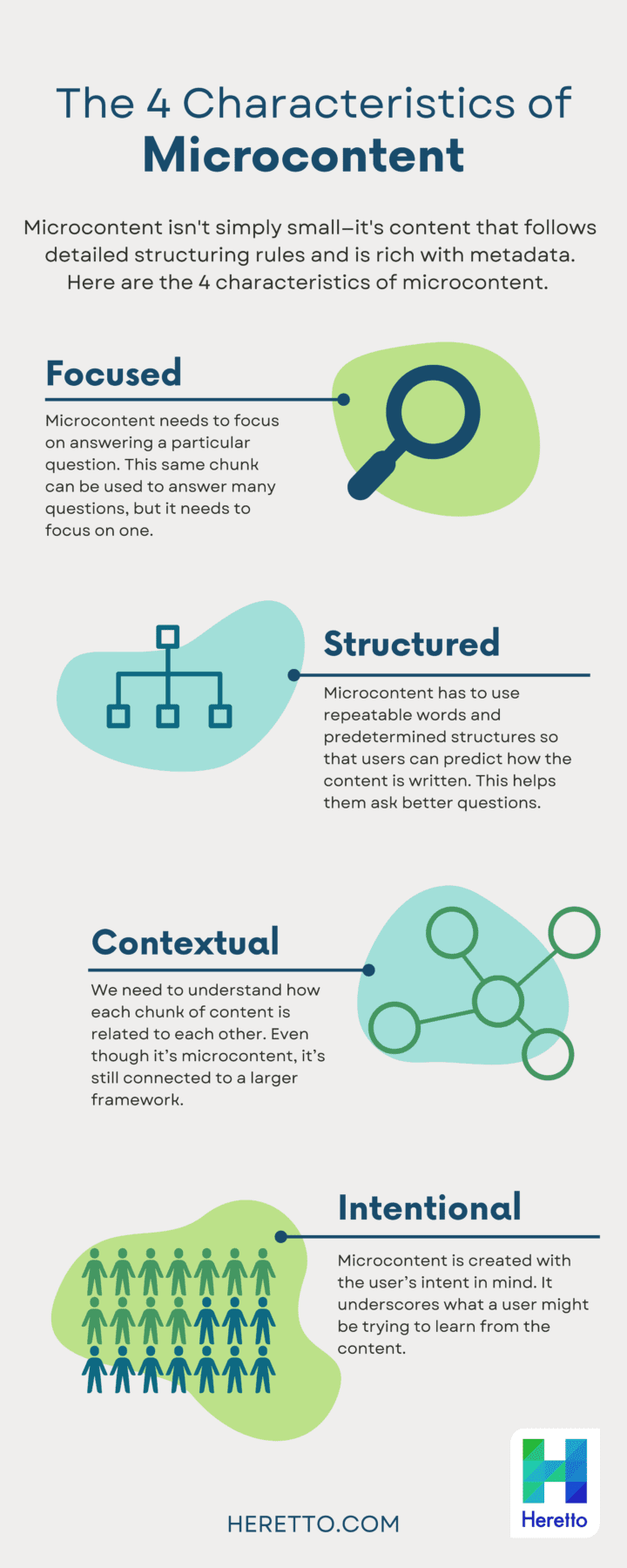
Microcontent has 4 characteristics:
- Focus- A chunk of information needs to focus on answering a particular question. Now, this same chunk can be used to answer many questions, but it needs to focus on one.
- Structured- It has to use repeatable words and structures so that users can predict how the content is written. This helps them ask better questions.
- Context- We need to be able to understand how each chunk of content is related to each other. Even though it’s microcontent, it’s still connected to a larger framework. The modular blocks build on each other and create a robust knowledge base.
- Intentional- Microcontent is created with the user’s intent in mind. It underscores what a user might be trying to learn from the content.
When creating microcontent, technical writers follow their organization's information architecture and chosen methodology for these atomic bits of information. Each company's approach will be different based on their needs, but some common practices do exist. One method we've seen work well is the Precision Content Writing Methodology.This methodology employs rigorous titling standards and substructures to represent different types of information. This requires a bit more work upfront but can be used in endless ways after.
A Brief History of the Term
The idea of microcontent isn't new, though its application has certainly evolved. The term was first used by usability expert Jakob Nielsen in the late 1990s to describe short text fragments like page titles and email subject lines. A few years later, technologist Anil Dash expanded this definition to include any small piece of information that communicates a single, primary idea—think of things like instant messages or brief blog posts. As web technologies and blogs made it easier to create, share, and reuse small chunks of information, the importance of microcontent grew. This shift laid the groundwork for the highly structured, topic-based content that technical teams rely on today to deliver precise answers to users.
Defining Microcontent by Consumption
Another way to think about microcontent is by how it’s consumed. Generally, microcontent is designed to be understood in 30 seconds or less, focusing on one core idea. Its main job is to capture attention quickly and provide immediate value, often acting as a hook that can lead a user to longer, more detailed content if they need it. You see this approach everywhere: headlines, social media posts, short instructional videos, and infographics are all common examples. For businesses, this type of customer-focused content is essential for driving engagement and efficiently guiding users to the answers they need without overwhelming them with information they don't.
Why Does Microcontent Matter?
Microcontent might seem counterintuitive at first. After all— isn’t it better to give our customers lots of information rather than small amounts?Longform content is great for customers who want to deep-dive into your organization. But they aren’t great for specific searches or questions. Microcontent is important because when users are looking for information or have problems, they don’t want to wade into longform content like blogs, PDFs, or user manuals. They want definitive answers— fast. And that’s exactly what microcontent gives them. When users can’t find what they’re looking for quickly and easily, they’ll abandon ship and look elsewhere for their answers. Because microcontent is structured, we can use it to give customers hyper-personalized experiences. Since the microcontent was created with metadata and a laser-sharp focus, we can give customers information that’s relevant to their specific needs. This improves user experience and builds trust with your customer base.
Powering Search and Self-Service
When a customer has a specific question, the last thing they want is a link to a 200-page user manual. They expect a direct, definitive answer, and they want it fast. This is where microcontent becomes the engine for effective self-service. Because each piece of microcontent is a focused, metadata-rich block, search tools and chatbots can retrieve the exact answer instead of just pointing to a long document. This granular approach helps customers find information quickly and easily, dramatically improving their experience. By creating structured content from the start, you build a foundation that allows users to solve their own problems without ever needing to file a support ticket.
Engaging Audiences and Guiding Journeys
Microcontent’s value extends far beyond the help center. It's a flexible tool for engaging users across their entire journey with your product. Think of it as a small "teaser" that provides quick, easy-to-understand information in short bursts. This could be an infographic, a short instructional video, or a tooltip that appears within your application. Because it's so modular, the same piece of content can be used on a marketing page to explain a feature, in an onboarding flow to guide a new user, or in a support portal to answer a question. This versatility allows you to build more dynamic and helpful user experiences, publishing the right information at the exact moment it's needed.
How to Create Microcontent That Works
Ok, so now we have the basics covered, but how exactly do we go about creating good microcontent? Working in a Component Content Management System (CCMS) makes it easy to create bite-sized pieces of information. A CCMS is intentionally designed to author in small chunks rather than in linear form. Here’s how to get started with writing microcontent:
- Write your content. Keep it short. Remember, the whole point of microcontent is that it’s micro.
- Use your taxonomy as a guide. Keep in mind the categories your microcontent belongs to.
- Tag it with metadata. The more the merrier.
- Publish to appropriate outlets.
Best Practices for Creation and Distribution
Creating effective microcontent goes beyond just writing short sentences. It requires a deliberate strategy focused on structure, user intent, and continuous improvement. By following a few core principles, you can ensure your content is not only findable but also genuinely helpful to your audience. These practices help transform individual content chunks into a cohesive and powerful self-service resource. They ensure that every piece of information is predictable, contextual, and directly answers a user's need at the moment they have it. This approach is fundamental to building a knowledge base that scales effectively and reduces the burden on support teams.
Start with a Solid Structure
The foundation of all good microcontent is a solid, repeatable structure. Each piece should focus on answering a single, specific question. This consistency helps users predict how information is presented, allowing them to find answers more quickly. When you create structured content, you're building a library of interchangeable parts that can be reassembled for different contexts. This means using consistent terminology and formats so that whether a user is reading a step-by-step guide or a simple definition, the experience feels familiar. This predictability is key to building user trust and encouraging them to rely on your documentation as their first source for answers.
Use a Question-and-Answer Framework
A simple yet powerful way to approach microcontent is to frame it as a series of questions and answers. Think about the specific problems your users are trying to solve or the questions they might type into a search bar. Each piece of microcontent should have a clear "question" (like a title or heading) and a concise "answer" (the body content). This format is incredibly versatile and works perfectly for FAQs, chatbot responses, and embedded help guides. By focusing on the user's query, you ensure that every piece of content you create has a clear purpose and delivers immediate value without forcing the user to read through irrelevant information.
Test and Refine Your Approach
Your work isn't done once you hit publish. The best technical documentation is constantly evolving based on user behavior and feedback. It's important to monitor how your microcontent is performing. Are users finding the answers they need? Are certain topics generating more support tickets than others? Don't be afraid to run A/B tests with different titles, formats, or content to see what works best. This iterative process of testing and refining ensures your content library stays relevant and effective. Strong content governance includes a plan for regular audits and updates based on performance data.
AI Tools to Help Create Microcontent
Artificial intelligence is becoming an invaluable partner in content creation, and it's particularly well-suited for producing high-quality microcontent at scale. AI tools can dramatically speed up the authoring process by generating initial drafts, suggesting relevant metadata tags, or even identifying gaps in your existing documentation based on user search queries. For example, an AI assistant can help a technical writer quickly break down a long-form manual into dozens of focused, question-and-answer-style topics. This allows your team to focus less on the manual labor of writing and more on the strategic work of ensuring accuracy, clarity, and a seamless user experience. Integrating AI into your workflow makes managing structured content more efficient and responsive to customer needs.
What Does Microcontent Look Like in Practice?
Let’s say you have a manual for assembling a bike. It’s a dense manual full of helpful information, but it’s long and may have too much information for your average user. If a customer has a question about how to put together the left pedal, they’ll have to search your website for the manual, then slog through until they find the page with the info they need. That’s a lot of work for a customer. But, if you’ve created your manual using microcontent, the customer can simply search your website for information about the left pedal, and immediately the answer will pop up. Not the whole manual, just a small piece of content that is exactly what they’re looking for. Much better. Once you start to see the benefits of creating microcontent, you’ll never want to go back.
Common Examples of Microcontent
Microcontent isn’t an abstract concept; it’s something you interact with daily. These small, standalone pieces of information are designed to convey a single message quickly and effectively. While the underlying structure is complex, the user experience is simple and direct. You can find microcontent in many forms, from the text that guides you through an app to the quick video that shows you how to use a new feature. Understanding these common formats helps illustrate how powerful this approach can be when applied to your own technical documentation.
Text-Based Formats
Text is the most common form of microcontent, especially in technical documentation. These are not just random short sentences; they are carefully crafted, standalone chunks of information. Think about things like tooltips that appear when you hover over an icon, a single step in a set of instructions, or a concise error message that tells you exactly what went wrong. Other examples include definitions in a glossary, field labels in a user interface, and the answers to frequently asked questions. Each piece is a self-contained unit, rich with metadata, that can be reused and repurposed, which is a core benefit of creating structured content in the first place.
Visual and Interactive Formats
Microcontent goes far beyond just words on a page. Visual and interactive formats are incredibly effective for communicating complex information in a way that’s easy to digest. An annotated screenshot that points out key features, a short GIF that demonstrates a single workflow, or a 20-second video that shows how to complete a specific task are all powerful examples of visual microcontent. These formats grab attention and can often explain a process more clearly than text alone. By treating these assets as modular components, you can ensure they are managed and delivered consistently across all your channels, which is essential for effective content publishing.
Frequently Asked Questions
Isn't microcontent just another name for short content? Not exactly. While microcontent is brief, its real value comes from its structure and intelligence. A short paragraph is just a short paragraph. Microcontent, however, is a self-contained block of information that is tagged with rich metadata and organized within a taxonomy. This structure is what allows it to be found by search tools, reused in different places, and delivered as a precise answer to a specific question.
Does this mean I have to get rid of all my long-form user manuals? Absolutely not. Long-form content still has its place for users who want to understand a product from start to finish. The idea isn't to replace your manuals but to build them more intelligently. By creating small, reusable blocks of information, you can assemble them into a comprehensive guide while also using those same blocks to answer specific questions in a chatbot, a search result, or a tooltip. It’s about giving users the right size of information for their immediate need.
How do metadata and taxonomy make microcontent more effective? Think of your taxonomy as the blueprint for your content library and metadata as the detailed label on every single item. Your taxonomy organizes information into logical categories. Metadata then adds specific, descriptive tags to each piece of microcontent, like who it's for or what product version it applies to. This combination allows a system to find the exact piece of information for a user's specific context, rather than just guessing based on keywords.
It sounds like creating microcontent requires a lot more planning. Is it worth the effort? Yes, there is more strategic work upfront, but it pays off significantly in the long run. The initial effort of setting up a taxonomy and being disciplined about metadata saves an enormous amount of time later. Instead of rewriting the same information for different guides, you just reuse the original block. This ensures consistency, makes updates faster since you only change it in one place, and allows you to publish content to new channels with minimal effort.
Can I use microcontent for more than just technical support articles? Definitely. That's one of its biggest strengths. Because microcontent is so modular, it's incredibly versatile. The same piece of content that explains a feature in your help center can be used in an in-app tooltip for new users, on a marketing page to highlight a product benefit, or in training materials for your sales team. This flexibility allows you to provide consistent, accurate information at every point a customer interacts with your product.
Key Takeaways
- Think structure, not just length: True microcontent is defined by its rich metadata and modular design, which allows a single piece of information to function as a self-contained, reusable answer.
- Improve self-service with direct answers: By breaking information into focused blocks, you enable search tools and chatbots to deliver precise solutions, helping customers find what they need instantly.
- Create with a question-and-answer framework: Build effective microcontent by focusing each piece on a single user question, applying consistent structure, and using detailed metadata to make it findable.


