
.avif)
Choosing a new content management system comes down to one key question: Are you building a website for today, or a content engine for tomorrow? This is the core of the CMS vs headless CMS debate. A traditional CMS is built for a specific output, usually a website. A headless CMS, however, separates your content from its presentation, making it ready for any channel—apps, smart devices, and platforms that don't even exist yet. Understanding the difference between a headless and traditional CMS is the first step to building a future-proof content strategy.
In this article, we'll demystify what a Headless CMS is, contrast it with Traditional CMS options, and help you decide which is more suitable for your organization's unique needs.
Quick Takeaways
- Traditional CMS integrates content creation, management, and presentation, ideal for help sites and internal documentation needing consistency and control.
- Traditional CMS offers ease of use, an integrated content and design solution, and consistent control over organizational content.
- Headless CMS provides flexibility and scalability for content distribution across multiple platforms and devices using API-driven delivery.
- Traditional CMS suits stable, consistency-focused content needs, while Headless CMS is ideal for dynamic, multi-platform content strategies and rapid adaptability.
What is a Traditional CMS?
A Traditional CMS serves as a foundational platform for organizations to manage and share information. It's particularly relevant for help sites and internal knowledge bases, where content and presentation are closely linked.
What Makes a CMS 'Traditional'?
A Traditional CMS is characterized by its integrated approach. It combines content creation, management, and presentation in a single platform. This integration is especially beneficial for organizations that need a consistent and controlled environment for their help sites or internal documentation.

The Monolithic Architecture
A Traditional CMS is built on what’s called a monolithic architecture. This simply means the backend—where you create and manage content—and the frontend—the website or help center your audience sees—are bundled together into a single system. This tight coupling creates a streamlined workflow. Content creation, management, and publishing all happen in the same environment, which is great for maintaining control and consistency across a single output like a documentation portal. With a traditional setup, what you build is what you get, specifically for one designated channel.
The WYSIWYG Editor Experience
Most traditional platforms rely on a “What You See Is What You Get” (WYSIWYG) editor. This interface lets you create and format content in a way that looks very similar to the final published page. For non-technical users, this is a huge plus because they can manage content without needing to write or understand code. The downside is that this approach often mixes the content itself with its styling. While it's visually intuitive, it can limit how that content can be reused elsewhere. The focus is on producing a single, specific page rather than creating flexible, structured content components that can be adapted for different needs.
Why Choose a Traditional CMS?
For organizations considering a Traditional CMS, here are some compelling advantages:
- Ease of Use. With intuitive interfaces, a Traditional CMS simplifies content creation and management, making it accessible to users with varying technical skills.
- Integrated Solution. It provides a comprehensive package, combining content management with design and presentation tools. This is ideal for help sites and internal documentation that require a consistent look and feel.
- Control and Consistency. A Traditional CMS offers greater control over content and design, ensuring consistency across all organizational materials.
The Downsides of a Traditional CMS
However, there are limitations to consider:
- Flexibility Constraints. The tight coupling of content and design can limit flexibility, making it challenging to adapt to rapidly changing content needs or to integrate with other systems.
- Scalability Concerns. As organizational needs grow, a Traditional CMS might struggle to efficiently manage large volumes of content or complex site structures.
Examples of Traditional CMS
You’ve probably used a website built on a Traditional CMS today. Common platforms like WordPress, Joomla, and Drupal are classic examples, each powering a huge slice of the internet. WordPress is well-known for its user-friendly interface, making it a popular choice for blogs and small business sites. Joomla and Drupal provide more robust features for complex websites like community portals or large enterprise applications. What they all share is a coupled architecture, where the back-end content database is directly tied to the front-end presentation. This is often managed through a 'What You See Is What You Get' (WYSIWYG) editor, which is useful for a single website but lacks the flexibility needed for creating structured content designed for delivery across multiple channels and devices.
When is a Traditional CMS the Right Fit?
A Traditional CMS is particularly well-suited for:
- Organizations with Stable Content Needs. If your content requirements are stable and don't demand frequent significant updates, a Traditional CMS can be a reliable choice.
- Help Sites and Internal Documentation. For help sites or internal knowledge bases where consistency and control are paramount, a Traditional CMS offers the necessary tools and structure.
In choosing the right CMS, it's crucial for organizations to consider their specific content needs and future growth. Next, we'll explore how a Headless CMS compares and when it might be a better fit for your organizational needs.
What is a Headless CMS?
Unlike traditional systems, a Headless CMS separates the content creation and management from the presentation layer. This means your content is stored as raw data, which can be published anywhere, through any framework or device, using APIs.

What Makes a CMS 'Headless'?
A Headless CMS is defined by its flexibility and adaptability. Here are its key features:
- API-Driven Content Delivery. It uses APIs to deliver content, allowing you to use the same content across different platforms and devices seamlessly.
- Content-First Approach. The focus is purely on content creation and management, without the constraints of a fixed presentation layer.
- Flexibility and Scalability. It offers the flexibility to choose any front-end tool to display your content, making it highly scalable and adaptable to changing needs.
Separating the 'Head' from the 'Body'
The easiest way to understand the headless concept is through its name. Think of the "body" as the backend where you create and store your content. This is your content repository, the single source of truth. The "head" is the presentation layer—the website, mobile app, or help portal where your customers see the content. A Headless CMS separates the content creation and management from the presentation layer. This means your content is stored as raw, structured data, which can be published anywhere, through any framework or device, using APIs. This separation is the key difference and the source of its power, allowing your team to focus solely on creating high-quality content without being locked into a specific design or output format.
Understanding Decoupled vs. Headless
You might hear the terms "decoupled" and "headless" used interchangeably, but they aren't quite the same. While a traditional CMS keeps the content and its display tightly linked, a headless CMS separates them completely. A decoupled CMS also separates the front and back ends, but it still comes with a default "head" or presentation layer. It’s designed with a primary output in mind but can push content to other channels. A true headless CMS, on the other hand, has no front end at all. It is API-first by design, built exclusively to serve content to any platform you can imagine, making it exceptionally flexible and customizable for future needs.
The Role of Content Modeling
When content is detached from its presentation, its underlying structure becomes incredibly important. This is where content modeling comes into play. A Headless CMS lets your team decide how content is structured, like defining what fields a "product specification" or a "troubleshooting topic" should include. This process of defining your content types and their relationships is what makes your content so flexible and reusable. For technical documentation teams, this is a game-changer. You can model a single "warning" message or a "procedural step" once and then reuse it across hundreds of documents, ensuring consistency and making updates far more efficient. This structured approach is fundamental to managing content at scale and delivering accurate information to every user touchpoint.
The Business Case for a Headless CMS
For organizations, especially those managing help sites and complex content ecosystems, a Headless CMS offers several advantages:
- Omnichannel Content Distribution. You can distribute the same content across various channels (websites, apps, IoT devices) without needing to recreate it for each platform.
- Enhanced Flexibility. It allows your developers to build the front-end experience using the tools and technologies that best fit your specific needs.
- Future-Proofing Content. As new platforms and devices emerge, a Headless CMS makes it easier to adapt your content to these new mediums without major overhauls.
Improved Security
Security is a major consideration when choosing a CMS, and this is an area where headless architecture offers a distinct advantage. A headless CMS is generally more secure because the content repository is separated from the public-facing website, which significantly reduces potential attack surfaces. Think of it this way: your content management environment, where your team works, is not directly connected to what the public sees. This separation means that even if your front-end presentation layer is compromised, your core content remains isolated and protected. This architecture makes it much more difficult for malicious actors to gain access to the backend, providing a more robust defense for your valuable documentation and data.
Faster Performance
In the world of technical documentation, speed matters. Customers looking for answers need them quickly, and slow-loading pages can lead to frustration and support tickets. Headless architecture often delivers better performance through static site generation and faster frontend delivery. Because the content is decoupled from the presentation layer, developers can use modern, lightweight frameworks to build the user-facing experience. Instead of a server building a page from a database and templates for every visit, content can be pre-rendered and served instantly from a Content Delivery Network (CDN). This API-first approach results in faster load times, a smoother user experience, and happier customers who can find the information they need without delay.
Personalization and Localization at Scale
A headless CMS lets your team decide how content is structured, which makes it incredibly flexible and reusable for new purposes. This is where the power of a content-first approach really shines. By treating content as structured data, you can deliver it through an API to any channel or device, tailoring the experience for different audiences. This modularity is perfect for personalization, allowing you to show specific information to users based on their role, product version, or location. It also simplifies translation management, as content can be localized independently of the design and then pulled into any front-end experience. This makes scaling your content for a global audience much more efficient than with a traditional, page-based system.
The Downsides of a Headless CMS
However, there are challenges to consider:
- Technical Expertise Required. Implementing and managing a Headless CMS often requires more technical expertise, particularly in API management and front-end development.
- Lack of Integrated Design Tools. Unlike Traditional CMS, Headless CMS doesn't offer built-in design templates, which might require additional resources for design and layout.
Examples of Headless CMS
The headless CMS market has several strong players, each offering a unique take on content management. As you explore your options, you'll likely come across these names:
- Contentful: A major platform known for its robust APIs that help teams manage and distribute content to any device or application. It’s often cited for its user-friendly interface.
- Strapi: An open-source option that gives developers significant control. Strapi provides a customizable API and admin panel, making it a popular choice for teams that need high flexibility.
- Sanity: This platform focuses on structured content and real-time collaboration. Sanity offers a highly customizable content studio, which is ideal for teams with specific, tailored workflow needs.
- Ghost: While it started as a blogging platform, Ghost has evolved into a powerful headless CMS. It’s known for its speed and simplicity, making it a solid choice for content-centric teams.
These platforms show the power of separating content from presentation, giving organizations the tools to adapt their content strategy to any channel.
When is a Headless CMS the Right Fit?
A Headless CMS is particularly beneficial in scenarios like:
- Organizations with Diverse Content Channels. If you need to publish content across multiple platforms (like web, mobile apps, and IoT devices), a Headless CMS offers the necessary flexibility.
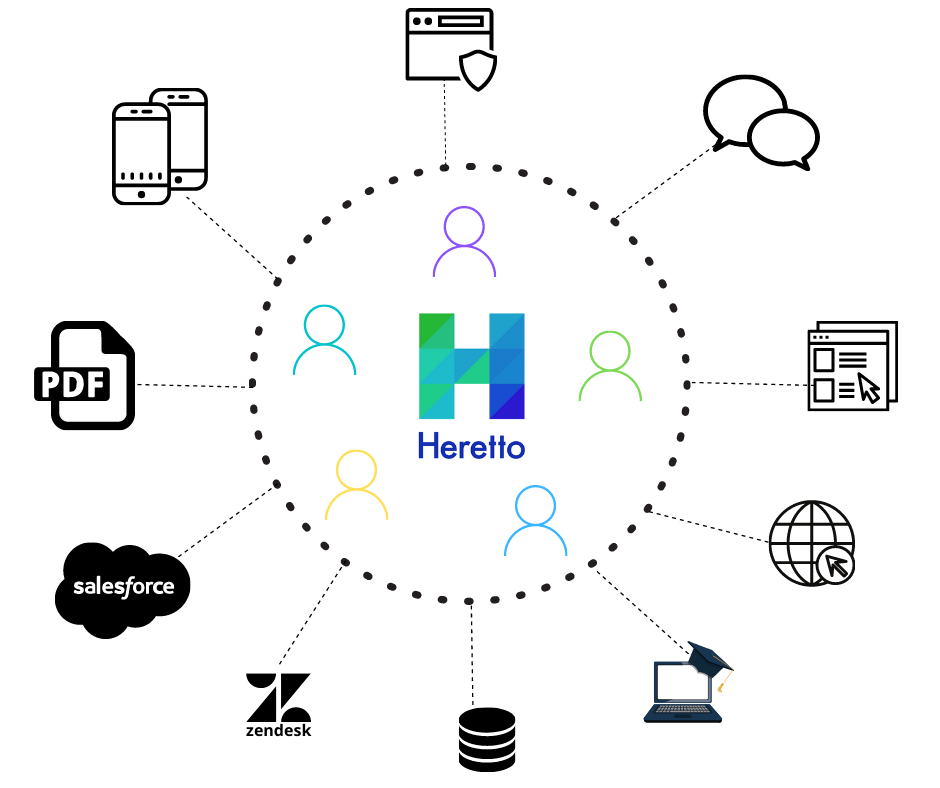
- Dynamic and Evolving Content Needs. For organizations that anticipate frequent changes in content strategy or need to rapidly adapt to market trends, a Headless CMS provides the agility required.
A Headless CMS offers a forward-thinking approach to content management, especially suited for organizations that value flexibility, scalability, and omnichannel content distribution.
Headless CMS vs. Traditional CMS: Key Differences
When you're deciding between a Headless CMS and a Traditional CMS for your organization or help site, understanding their differences is crucial. Let's break down these differences to help you make an informed decision.
How Do They Manage and Deliver Content?
Traditional CMS integrates content management with the presentation layer. Your content is created, managed, and presented in a single system, which is ideal for straightforward content delivery on a single platform.
Headless CMS separates content management from delivery. Content is stored as raw data and delivered via APIs to any platform or device, offering greater flexibility for multi-platform content distribution.
The Role of the API
The Application Programming Interface (API) is the engine of a Headless CMS. Think of it as a universal translator and delivery service combined. In a traditional system, the content and its presentation are tightly coupled, essentially locked together. In a headless model, the API separates them. It takes your raw, structured content from the content repository and delivers it to any front-end application that asks for it. This could be a website, a mobile app, a customer portal, or even an in-app help widget. The API doesn't care what the final destination looks like; it just serves the content.
This API-driven approach is what gives a Headless CMS its power. It means your content is not trapped in a single presentation layer, a common limitation of traditional systems. Instead of creating different versions of the same help article for your website and your mobile app, you create it once and let the API deliver it to both. This makes an omnichannel content strategy achievable, allowing your team to efficiently publish consistent, accurate information to every customer touchpoint. It turns your content into a flexible, reusable asset that can adapt to any new channel or technology that comes along.
Flexibility and Developer Freedom
Traditional CMS offers less flexibility in customization. Changes in design or platform can require significant overhauls of the entire system.
Headless CMS is highly flexible. You can use any front-end technology to create a custom user experience, adapting quickly to new platforms or technologies.
Freedom to Choose Your Tech Stack
A traditional CMS often locks your team into its specific ecosystem, dictating the front-end technology you can use. This can be a major roadblock, limiting your ability to build modern user experiences or integrate technical documentation into other applications. If you want to innovate or adapt, you’re often stuck within the confines of the system's built-in presentation layer.
A headless CMS decouples the content from the presentation layer, giving your developers the freedom to build the front-end with the best tools for the job—be it React, Vue, or any other framework. Your structured content is delivered via API, allowing it to be seamlessly integrated into a help site, a mobile app, or any future digital touchpoint. This approach future-proofs your content operations, letting you adapt to new technologies and publish to new channels without overhauling your entire content repository.
What Resources Does Your Team Need?
Traditional CMS is generally user-friendly with less technical expertise required. It often includes built-in templates, making it easier to manage for users without technical backgrounds.
Headless CMS requires more technical expertise, particularly in API management and front-end development. It offers more control but at the cost of higher complexity in implementation and maintenance.
Which System is More Future-Proof?
Traditional CMS can face limitations as your organization grows, especially if your content strategy involves multiple platforms or complex site structures.
Headless CMS is designed for scalability and future-proofing. It can handle diverse and evolving content needs, making it easier to adapt as new technologies and platforms emerge.
Avoiding Vendor Lock-In
A major risk with traditional systems is vendor lock-in. Because the content and the presentation layer are tightly coupled, your content essentially becomes a part of that specific CMS's ecosystem. If you decide to switch providers down the road, extracting your content can be a complex and expensive undertaking. You’re not just moving text and images; you’re untangling it from a proprietary design and delivery framework that was never meant to be portable. This dependency severely limits your long-term strategic freedom, forcing you to build your future technology stack around the limitations of your current CMS, rather than your business needs.
A headless CMS architecture helps you avoid this problem by decoupling content from the presentation layer. Your content is stored in a pure, structured format, ready to be delivered anywhere via an API. This means you can manage your content as a central, independent asset, completely separate from how or where it's displayed. If you want to switch front-end technologies, launch a new mobile app, or integrate with a different platform, your core content remains untouched and portable. This gives you the flexibility to adapt and innovate without being tied to a single vendor’s roadmap.
Simplified System Upgrades
In a traditional CMS, system upgrades can be a source of major headaches for any content team. Since the content management back-end and the presentation front-end are a single, monolithic unit, an update to one part can have unintended and disruptive consequences for the other. A simple security patch for the back-end could potentially break your entire website's layout. This often results in lengthy, resource-intensive testing cycles and a high risk of breaking your live site, forcing teams to delay critical updates and leave their systems vulnerable.
With a headless CMS, the separation of content and design makes the upgrade process much smoother and safer. Your content repository and your front-end application can be updated independently of one another, creating a firewall between maintenance tasks. This minimizes the risk of system-wide failures and allows for a more agile and streamlined maintenance process. Your team can confidently update the back-end system without worrying about breaking the user experience, ensuring your publishing operations remain stable, secure, and continuously available to your customers.
Matching the CMS to the Project
Traditional CMS is best suited for smaller organizations or help sites with a single platform focus and a need for a straightforward, integrated content management and presentation solution.
Headless CMS is ideal for larger organizations or help sites that require a flexible, scalable solution for managing content across multiple platforms and devices.
When Should You Choose a Headless CMS?
Choosing a Headless CMS is a strategic decision that can significantly impact your organization's ability to manage and distribute content effectively. Here are scenarios where opting for a Headless CMS is advantageous:
- Omnichannel Content Distribution. Ideal for seamless content delivery across multiple platforms like websites, mobile apps, and IoT devices.
- Frequent Updates and Rapid Scaling. Best for organizations needing quick content updates and scalability to adapt to changing market demands.
- Custom User Experience Requirements. Suitable when unique, tailored user experiences across different platforms are a priority.
- Future-Proofing Your Content Strategy. A strategic choice for integrating new technologies and platforms, keeping your content strategy adaptable and relevant.
When Should You Stick with a Traditional CMS?
A Traditional CMS remains a strong contender in many scenarios, particularly for organizations with specific content management needs. Here are situations where a Traditional CMS might be the better choice:
- Centralized Content Management and Presentation. Optimal for integrated content management and presentation, especially for consistent help sites or internal documentation.
- Limited Technical Resources. Ideal for organizations with limited technical expertise, offering a user-friendly interface and built-in tools.
- Consistency in Design and Branding. Perfect for maintaining a uniform look and feel across content, crucial for brand identity.
- Smaller Scale Operations. Effective for smaller organizations or help sites with modest content needs and less focus on multi-platform distribution.
How to Choose Between Headless and Traditional CMS
In the debate of Headless CMS vs. Traditional CMS, the decision is crucial for organizations and help sites navigating the complex landscape of content management.Your choice should be based on your organization's specific requirements, technical resources, and long-term content objectives.
Whether opting for a Traditional CMS for its simplicity and cohesive approach or a Headless CMS for its adaptability and growth potential, understanding the nuances of traditional CMS vs. headless CMS will empower you to make the best decision for your organization's unique content journey.
Ready to make the right choice? Heretto CCMS can help. Get started today by booking a demo, or learn more about Heretto.
Frequently Asked Questions
What's the simplest way to think about the difference between a traditional and a headless CMS? Think of a traditional CMS as an all-in-one package deal for a website. It bundles the place where you write your content with the tools that design and display it on a single site. A headless CMS unbundles this. It’s a system focused purely on creating and storing your content as structured data. That content can then be sent via an API to any display you want, whether that’s a website, a mobile app, or an in-product help panel.
Is a headless CMS overkill if I only publish to a single help site? Not necessarily. Even if you only have one help site today, a headless CMS sets you up for the future. Your content is stored in a clean, presentation-free format, which makes it much easier to adapt if you decide to launch a mobile app, a customer portal, or integrate help content directly into your product later on. It’s about building a flexible content asset rather than just building a single website.
Does my team need a lot of developer support to use a headless CMS? You will need more developer involvement upfront, especially to build the "head" or the front-end experience where your content will be displayed. However, once that's set up, your writers can focus entirely on creating content in the headless system without needing to touch code. The key difference is that a traditional CMS often hides the complexity with pre-built templates, while a headless approach requires you to build your presentation layer intentionally.
How does a headless approach help with content reuse? A headless CMS is built for reuse because it separates the content from its styling. You can create a single, structured piece of content, like a warning message or a procedural step, and store it once. The API can then deliver that exact piece of content to your documentation portal, your mobile app's FAQ, and an internal training guide. Each destination can style it differently, but the source content remains consistent and is managed from one place.
Can I switch from a traditional CMS to a headless one later? Yes, but it can be a significant project. Migrating from a traditional system often involves untangling your content from the design and code it's mixed with. This process, called content modeling, requires you to restructure everything into a clean, presentation-free format that the new headless CMS can use. It’s definitely possible, but it highlights the importance of choosing a system that aligns with your long-term content strategy from the start.