.png)
.avif)
Most people think of a content management system as a tool for building web pages. But for technical documentation, managing content page-by-page is incredibly inefficient. When a single product update requires changes across dozens of documents, a page-based workflow creates bottlenecks and introduces risk. The solution is to manage content at a more granular, component level. This guide explores the specific content management system features that enable content reuse, personalization, and multichannel publishing. You'll learn how managing content in smaller, reusable chunks can transform your team's efficiency.
In this guide, we'll explore the various types of content management softwares available and how they can benefit your organization. By understanding the different options, you can make an informed choice that perfectly fits your needs.
Quick Takeaways
- Content management softwares simplify content handling. These tools help businesses create, manage, and publish digital content efficiently.
- Content management systems ensure up-to-date, accurate, and accessible content. They keep your content current, correct, and easily accessible.
- Different types serve unique business needs. Various types of content management softwares cater to specific business requirements.
- Key features to look for in content management softwares include scalability, integration capabilities, user-friendly interfaces, and robust security. These features ensure the software meets your business needs and enhances content management processes.
What is a Content Management System?
Content management softwares are tools designed to help businesses create, manage, and publish digital content. They allow you to store documents, images, videos, and other digital assets in one place, making it easy to find and use them whenever needed.
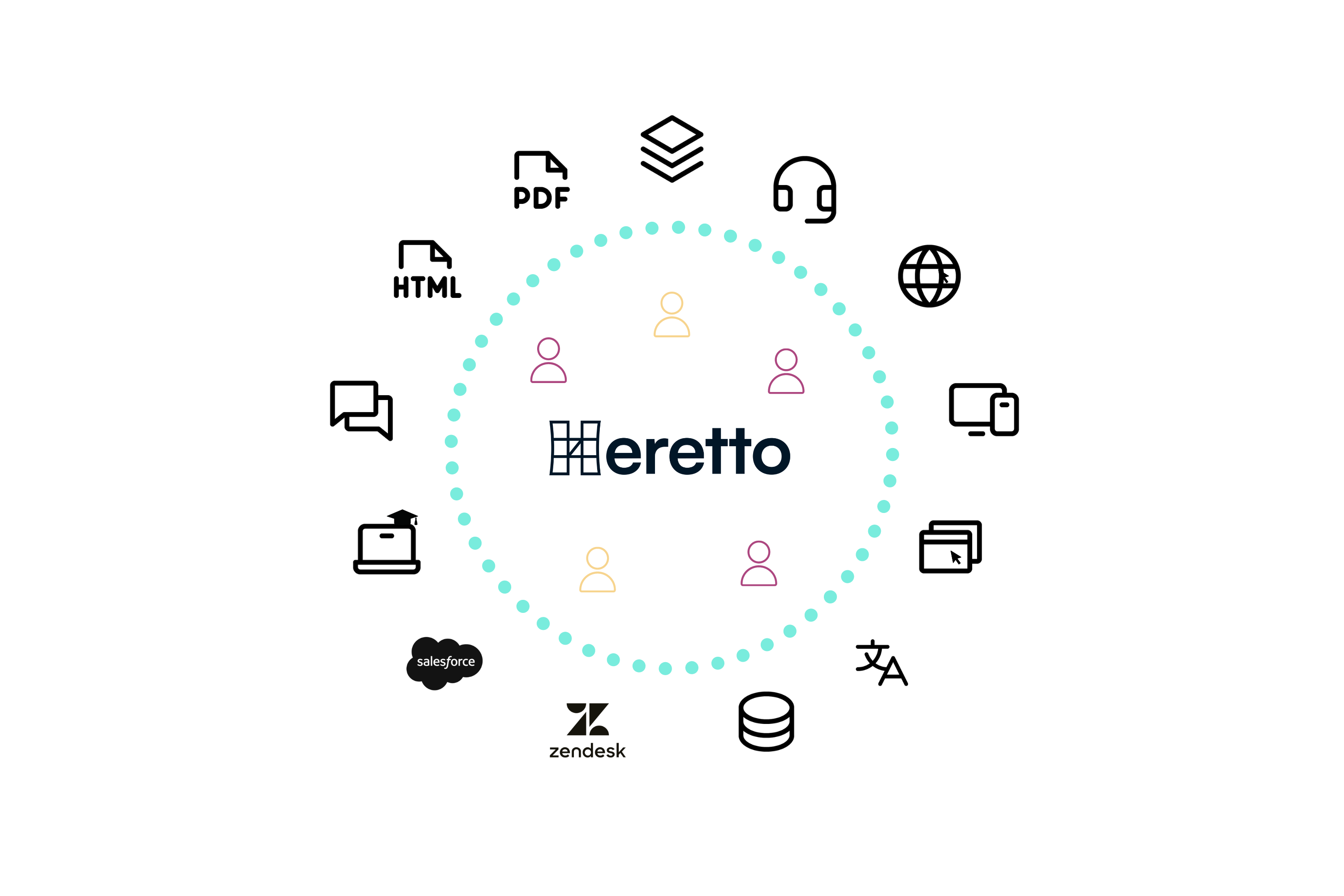
Why are content management softwares so important? These systems ensure your content is always:
- Up-to-date
- Accurate
- Easily accessible
They save time, reduce errors, and improve collaboration across teams. Whether you're a small business or a large enterprise, having an efficient content management system can significantly boost your productivity and effectiveness.
Core Components: CMA and CDA
Every content management system is built on two fundamental parts: the content management application (CMA) and the content delivery application (CDA). Think of the CMA as the backstage area of a theater. It’s where your team creates, edits, and organizes all the content—from writing articles to uploading images. This is the user-friendly interface where the magic happens, but it’s not what the audience sees. The CDA, on the other hand, is the main stage. It takes the polished content from the CMA and presents it to your users on your website, help portal, or application. This separation is the core feature of a CMS, allowing content creators to focus on their work without needing to manage the technical details of how it gets published.
Traditional vs. Headless Architecture
When you explore different CMS options, you'll often hear the terms "traditional" and "headless." In a traditional, or coupled, CMS, the backend (CMA) and the frontend (CDA) are tightly bound together. The system manages both your content and how it’s displayed on a specific website. This is a straightforward, all-in-one solution. A headless CMS takes a different approach by decoupling the backend from any specific frontend. It manages your content in a raw, structured format and delivers it via an API to any channel you can imagine—websites, mobile apps, smart devices, or even VR headsets. This flexibility is essential for modern content delivery, allowing you to use a single piece of content across countless user touchpoints without extra work.
CMS vs. Digital Experience Platform (DXP)
While a CMS focuses on the lifecycle of content, a Digital Experience Platform (DXP) takes a much broader view. A DXP is an integrated suite of technologies designed to manage the entire customer journey across all digital channels. It often includes a CMS as a core component but adds layers of functionality like analytics, personalization, and e-commerce tools. Essentially, a CMS is concerned with efficiently creating and delivering content. A DXP uses that content, along with user data, to create a seamless and intelligent experience for the customer. If a CMS is the library where your information is perfectly organized, a DXP is the personal librarian who knows exactly which book to recommend to each visitor based on their interests.
5 Common Types of Content Management Systems
Each type of content management software serves a unique purpose and caters to different business needs. Understanding these types helps you choose the best solution to manage your digital content effectively.
Web Content Management Systems (WCMS)
Web Content Management Systems are designed to manage and deliver content on websites. They help organizations create, edit, and publish web content without needing technical expertise. Popular examples include WordPress and Joomla.
These systems are perfect for businesses looking to maintain dynamic websites with regular content updates. They offer user-friendly interfaces, a variety of templates, and plugins to extend functionality, making it easy to keep your website fresh and engaging.
Document Management Systems (DMS)
Document Management Systems focus on storing, managing, and tracking electronic documents. They ensure that documents are easily accessible, secure, and properly versioned. Examples of DMS include SharePoint and M-Files.
These systems are ideal for organizations that need to handle large volumes of documents, ensuring compliance with industry regulations and improving collaboration among team members. Features like document indexing, search functionality, and access control make DMS indispensable for organized document management.
Digital Asset Management Systems (DAM)
Digital Asset Management Systems are designed to store and manage digital assets like images, videos, and audio files. Examples include Adobe Experience Manager and Widen. These systems help businesses organize, retrieve, and distribute their digital assets efficiently.
DAM systems are particularly useful for companies with rich media content, such as marketing agencies and media companies. They offer features like metadata tagging, asset versioning, and usage tracking, ensuring that digital assets are used effectively and consistently across all channels.
Component Content Management Systems (CCMS)
Component Content Management Systems manage content at a granular level, allowing users to create, manage, and reuse components of content across different documents and publications. A popular example is Heretto. Unlike traditional content management systems, which handle entire documents or pages, CCMS focuses on individual content components.

These systems are especially valuable for technical documentation and publishing industries, where content needs to be consistently updated and repurposed. CCMS enables efficient content reuse, version control, and multi-channel publishing, making it easier to maintain accuracy and coherence in extensive documentation projects.
Enterprise Content Management Systems (ECM)
Enterprise Content Management Systems provide a comprehensive solution for managing an organization's documents and content. They integrate with other business systems to streamline processes and improve efficiency.
Popular examples include OpenText and Alfresco. ECM systems are suited for large organizations that need to manage diverse content types across multiple departments. They offer features like workflow automation, compliance management, and robust security measures, ensuring that enterprise content is well-organized, secure, and accessible.
The 5 Core Functions of an ECM
To handle such a wide range of information, ECMs are built around five core functions that cover the entire content lifecycle: capture, manage, store, preserve, and deliver. The process starts with capture, which involves bringing unstructured content like emails, reports, and scanned documents into the system. Once captured, the manage function takes over, providing tools for version control, review cycles, and collaborative workflows to ensure content accuracy. This is a critical step for content governance. Next, content is placed in a secure, centralized store, making it easy to find and preventing information silos. The preserve function handles long-term archiving to meet legal and compliance requirements, and finally, deliver ensures the right information reaches the right people at the right time, whether on an internal portal or a public-facing site.
What are the Key Content Management System Features?
When evaluating content management softwares, focusing on these key features will help you find a solution that meets your business needs and enhances your content management processes.
Content Creation and Editing
The heart of any content management software is its ability to facilitate the creation and editing process. This is where your team will spend most of their time, so the experience needs to be smooth and efficient. The right features can remove friction from the writing process, allowing authors to focus on producing high-quality, accurate content. From the type of editor to built-in assistance, these tools are fundamental to a productive content operation. A system that simplifies these core tasks empowers your team to work more effectively and maintain a consistent standard across all published materials.
Editor Types: WYSIWYG vs. Rich Text
Choosing an editor often comes down to a choice between "What You See Is What You Get" (WYSIWYG) and a rich text or structured editor. WYSIWYG editors feel familiar, much like using a standard word processor, which makes them intuitive for most users. However, for technical content that requires precision and reusability, a more structured approach is often better. Systems that manage content in components, rather than pages, provide greater control over the final output, ensuring consistency no matter where the content is published. This allows for more powerful content creation that supports complex documentation needs.
Version Control and Content History
For teams managing critical information like technical documentation, version control is non-negotiable. This feature lets you track every change made to a piece of content, see who made it, and when. More than just a safety net, it provides a complete audit trail, which is essential for maintaining accuracy and compliance. If a mistake is introduced, you can easily revert to a previous, correct version. This level of control ensures that your content history is transparent and manageable, preventing errors from reaching your audience and maintaining the integrity of your information over time.
AI-Powered Content Assistance
Artificial intelligence is quickly becoming a standard feature in modern content management software. AI-powered tools can assist writers by generating content outlines, rewriting sentences for clarity, or even drafting entire sections based on a few prompts. This doesn't replace the expertise of a technical writer, but it does act as a powerful assistant. It can help overcome writer's block and speed up the initial drafting phase, freeing up authors to focus on the more complex aspects of content creation, such as ensuring technical accuracy and refining the user experience.
Workflow and Collaboration
Content management is rarely a solo effort. It requires collaboration between writers, editors, subject matter experts, and reviewers. A great CMS provides the framework for these teams to work together seamlessly. It establishes clear processes for review and approval, ensuring that every piece of content meets organizational standards before it's published. By centralizing communication and workflows, the software reduces bottlenecks and improves overall efficiency. This collaborative environment is key to producing high-quality content at scale while maintaining consistency and control over the entire lifecycle.
Approval Processes and Publishing Controls
To prevent mistakes and ensure quality, a robust approval process is essential. Content management software with built-in workflows allows you to define specific review stages that content must pass through before publication. You can assign roles and permissions so that only authorized individuals can approve or publish content. This structured approach ensures every piece of information is properly vetted by the right people, from legal and compliance teams to senior editors. These publishing controls are the foundation of effective content governance, giving you confidence in the accuracy and quality of everything you release.
Content Staging Environments
A content staging environment acts as a private testing ground for your content. Before making changes live, you can use a staging site to preview how new articles, design updates, or product information will look and function. This allows your team to catch any errors or formatting issues in a safe, controlled space without impacting the live user experience. It’s like a final dress rehearsal before the main performance, ensuring that when you do publish, everything works exactly as intended. This step is critical for minimizing risk and delivering a polished, professional final product.
Content Organization and Delivery
Creating great content is only half the battle; you also need to organize it effectively and deliver it to the right audience on the right platform. A powerful CMS moves beyond simple storage and provides sophisticated tools for structuring, categorizing, and deploying your content. This ensures that information is not only easy for your team to find and manage but also simple for your audience to access and consume. From multilingual support to responsive design, these features are crucial for reaching a global audience and providing a seamless experience across all devices.
Tagging and Categorization
Effective content organization relies on metadata, such as tags and categories. By applying these labels to your content, you create a structured system that makes information highly discoverable. This is fundamental for powering features like internal search, related content recommendations, and personalization. For your team, it simplifies the process of managing large volumes of content, as they can quickly filter and find specific components. For your users, it means they can find the answers they need with minimal effort, improving their overall experience with your content.
Multilingual Support
To connect with a global audience, your content needs to speak their language. A CMS with strong multilingual support simplifies the entire localization process. It provides tools to manage translations for different regions, ensuring that you can deliver consistent and accurate information across all markets. An integrated translation management workflow helps coordinate with translators, track progress, and publish localized content efficiently. This capability is essential for any organization looking to scale its reach and provide a truly international user experience.
Responsive Design
Your audience accesses content on a wide range of devices, from desktops to smartphones. A key feature of any modern CMS is its ability to ensure content looks and functions perfectly on every screen size. Through responsive design, the system automatically adjusts the layout and formatting of your content to fit the user's device. This guarantees a consistent and user-friendly experience for everyone, regardless of how they access your information. It’s a fundamental requirement for meeting modern user expectations and ensuring your content is always accessible and readable.
Marketing and User Experience
Ultimately, the goal of your content is to connect with your audience, whether that's to provide support, drive sales, or build brand loyalty. A top-tier CMS includes features designed to enhance the user experience and support your marketing efforts. These tools help you understand how your content is performing, optimize it for search engines, and deliver personalized experiences that resonate with individual users. By connecting content management with user experience, you can turn your content into a powerful asset that drives business results and builds lasting customer relationships.
Built-in SEO Tools
For your content to be effective, people need to be able to find it. Built-in Search Engine Optimization (SEO) tools help your content rank higher in search results on sites like Google. These features allow you to easily edit things like page titles, meta descriptions, and URLs without needing to be a technical expert. By making SEO a natural part of the content creation workflow, a CMS helps you attract more organic traffic and ensures that your valuable information reaches the widest possible audience, connecting potential customers with the answers they are searching for.
Personalization and Dynamic Content
Personalization transforms a generic user experience into one that feels uniquely tailored to the individual. A sophisticated CMS can dynamically alter the content a user sees based on factors like their location, past behavior, or user profile. In technical documentation, this could mean showing instructions only for the specific product version a customer owns. This is achieved by publishing structured content with conditional logic, ensuring users see only what is relevant to them. This targeted approach reduces confusion, increases user satisfaction, and makes your content significantly more helpful.
Analytics and Reporting
To improve your content strategy, you need to know what’s working and what isn’t. A CMS with integrated analytics and reporting provides valuable insights into content performance. You can track key metrics like page views, time on page, and user engagement to understand how your audience interacts with your content. This data allows you to make informed decisions, identify areas for improvement, and demonstrate the value of your content to the broader organization. By measuring performance, you can continuously refine your approach and ensure your content is meeting its goals.
Scalability to Match Your Growth
Your organization will grow and evolve, and so should your content management system. A scalable solution can handle increasing amounts of content and users without compromising performance. Flexibility ensures the software can adapt to your changing needs, whether you’re adding new content types, expanding to new markets, or integrating with other systems.
Does It Integrate With Your Other Tools?
Look for content management softwares that can easily integrate with your existing tools, such as customer relationship management (CRM) systems, marketing automation platforms, and other business applications.
Integration enhances functionality, streamlines processes, and ensures all your systems work together efficiently. This interconnectedness saves time, the biggest barrier to successful content delivery.

It also reduces the risk of errors by automating data exchange between platforms.
Extensibility with Plugins and Add-ons
No single content management system can do everything your team needs right out of the box. That’s where extensibility comes into play. Think of plugins and add-ons as tools that let you customize and expand your CMS's capabilities. They allow you to add new features, change the look and feel of your interface, or connect with other essential systems your team relies on. This adaptability is crucial because it means your CMS can evolve alongside your business. Whether you need to integrate with advanced translation management services or connect to a new analytics platform, a system built for extensibility ensures you won’t be stuck with a tool that no longer fits your workflow.
Is the Interface Easy to Use?
Content management softwares should be intuitive and easy to navigate, even for non-technical users. A clean, well-organized interface reduces the learning curve, boosts productivity, and encourages user adoption. Look for features like:
- Drag-and-drop functionality
- Customizable dashboards
- Easy-to-use editing tools
The simpler it is for your team to use the software, the more efficiently they can manage content.
Pre-made Templates
Pre-made templates are a lifesaver for content teams. These are ready-to-use layouts that save you time and effort, especially if you don't have coding skills. Instead of starting from scratch, you can use a template to ensure your content is formatted correctly and consistently from the get-go. This is crucial for maintaining brand identity and providing a uniform user experience across all your digital touchpoints. For technical documentation, templates can enforce a standardized structure, ensuring that every piece of content, from user guides to API documentation, follows the same logical flow and design. This makes the information easier for your audience to consume and helps streamline the process of creating structured content.
Content Scheduling
A great content management system helps you plan when your content goes live to keep a steady flow. Content scheduling features allow you to set specific dates and times for your content to be published automatically. This is incredibly useful for coordinating content releases with product launches, marketing campaigns, or software updates. By scheduling content in advance, your team can work ahead, reduce the stress of last-minute publishing, and minimize the risk of human error. It ensures your content strategy is executed precisely, delivering the right information to your audience at exactly the right moment and simplifying the entire process of publishing content across multiple channels.
How Secure Is Your Content?
Security is paramount when it comes to managing digital content. Ensure the content management software you choose offers robust security features to protect your data. Look for functionalities like:
- User authentication
- Role-based access control
- Encryption
- Audit trails
These features help safeguard sensitive information, ensure compliance with industry standards, and provide peace of mind that your content is secure from unauthorized access or breaches.
Specific Security Features (SSO & MFA)
Beyond basic user roles, look for advanced security measures like Single Sign-On (SSO) and Multi-Factor Authentication (MFA). SSO allows your team to log in using their existing company credentials, which simplifies access while maintaining centralized security control. MFA adds another layer of protection by requiring a second form of verification, like a code from a mobile app. For teams managing sensitive product information or technical documentation, these features are non-negotiable. They are essential for robust content governance, ensuring only authorized personnel can access or modify critical content and protecting your intellectual property from potential threats.
Automatic Backups and Restoration
Mistakes happen, and system failures are always a possibility. A reliable CMS should automatically save your work and provide robust backup and restoration options. This includes version control, which allows you to revert to previous versions of a specific piece of content if an error is made. It should also perform regular, full-system backups to protect your entire content repository from catastrophic data loss. For technical content teams, where accuracy is paramount, the ability to quickly restore a previous state or recover lost work is a critical safety net that ensures business continuity and content integrity.
Compliance with Web Standards
A good CMS does more than just store your content; it helps ensure that what you publish meets modern web standards. This includes features that support Search Engine Optimization (SEO), making your content more discoverable by search engines like Google. It also extends to accessibility standards, ensuring your content is usable by people with disabilities. For many industries, compliance with specific regulatory or quality standards is mandatory. A CMS that supports structured content can help enforce these rules automatically, ensuring that all published material is consistent, compliant, and accessible to the widest possible audience.
How to Choose the Right Content Management System
Choosing the right content management software involves careful consideration of your business needs and thorough evaluation of vendor offerings. By taking these steps, you can select a solution that meets your current requirements and supports your future growth and success.
Start by Assessing Your Business Needs
The first step in choosing the right content management software is assessing your business needs. Start by identifying the specific requirements of your organization. Do you need a system to manage a website, handle extensive documentation, or store digital assets?
Consider the type of content you produce, the volume of content, and how your team collaborates. Understanding these needs will help narrow down your options and ensure you choose a software that aligns with your goals.
Then, Evaluate Your Vendor Options
Once you’ve identified your needs, it’s time to evaluate vendor offerings. Look into different vendors and the features they provide. Key questions to ask include:
- Does the software offer the functionalities you require?
- How easy is it to use and integrate with your existing systems?
- What kind of support and training does the vendor provide?
Don’t hesitate to request demos or trials to get hands-on experience. This step is crucial for understanding how the software works and if it fits well with your team's workflow.
Platform Types: Open-Source, Commercial, and Custom
Content management systems generally fall into three categories: open-source, commercial, and custom-built. Open-source options like WordPress are free to download and use, making them a popular choice for simpler needs. However, they often rely on community support and may require more technical skill to customize and maintain securely. Commercial systems are developed and managed by a company, requiring a license fee. These platforms often provide faster setup for business needs, dedicated support, and specialized capabilities, like managing DITA XML for technical content, which can lead to a lower total cost of ownership for complex operations. Finally, a custom CMS is built from the ground up for a company’s unique requirements, offering the most flexibility but also demanding the highest investment in time and resources.
User Support Models
When you have questions or run into problems, you need reliable help. CMS platforms typically offer support through either direct customer service or large online communities. Community-based support, common with open-source software, can be a great resource, but you’re relying on fellow users for answers, which may not be immediate or tailored to your specific issue. For business-critical operations, this can introduce risk. Commercial platforms usually provide direct support from a dedicated team that understands the software inside and out. This means faster, more accurate resolutions when issues arise. It’s important to consider what kind of help you’ll need for both small questions and big emergencies, as downtime can be costly. Having access to expert resources, like a comprehensive documentation portal, can make a huge difference in keeping your operations running smoothly.
Data Migration Tools
Switching systems can be a major project, so you need a way to move content safely into or out of the CMS without losing important data or website traffic. A smooth migration process is essential for business continuity and avoiding vendor lock-in. This is where the underlying structure of your content becomes critical. Systems that manage content in a standardized, structured format separate the content itself from its presentation. This makes it much easier to export and import information without being trapped in a proprietary ecosystem. When you're managing structured content, its portability becomes a long-term asset, ensuring your content remains flexible and future-proof, no matter where it needs to go.
How Heretto Streamlines Content Management
Selecting the right content management software is essential for effective content management and business success. We've explored the different types of content management softwares, key features to look for, and how to make an informed choice. By understanding your needs, evaluating your options, and considering costs, you can find a solution that fits your business perfectly.
Heretto streamlines content management with features like a user-friendly interface, seamless integrations, and robust security. Our Component Content Management System ensures content consistency and easy reuse. Ready to boost your content efficiency? Get started today by booking a demo or learn more about Heretto.
Frequently Asked Questions
My team manages technical documentation. Why is a CCMS better for us than a standard Web CMS? A standard Web Content Management System (WCMS) is built to manage entire web pages, which is great for blogs or marketing sites. For technical documentation, this page-based model becomes a huge bottleneck. Imagine a single product feature is updated. You might have to manually edit that information across dozens of different guides and articles. A Component Content Management System (CCMS) manages content in smaller, reusable chunks. You update that single feature component once, and the change is automatically reflected everywhere it’s used. It’s a fundamental shift from managing pages to managing the information itself, which saves an incredible amount of time and reduces errors.
What's the main difference between a Component Content Management System (CCMS) and an Enterprise Content Management System (ECM)? While both systems manage content, they serve very different purposes. Think of an ECM as a massive digital filing cabinet for an entire company, designed to store, archive, and manage a wide variety of unstructured business documents like contracts, invoices, and HR forms. A CCMS, on the other hand, is a specialized, high-precision tool built for content creation teams. Its focus is managing structured content at a granular level to enable reuse, personalization, and publishing to multiple channels, which is essential for technical documentation and product information.
Our content is currently managed in pages and documents. How difficult is it to switch to a component-based system? Moving from a page-based model to a component-based one does require a shift in thinking. The initial work involves breaking down your existing documents into smaller, logical topics or components. While this takes some planning upfront, the long-term efficiency gains are significant. You stop rewriting the same instructions or warnings repeatedly. A good CCMS is designed to support this transition, and once your content is structured, your team’s ability to create and update documentation will become much faster and more consistent.
Can a CCMS also be a "headless" CMS? Yes, absolutely. In fact, a CCMS is a perfect example of a headless architecture. The term "headless" simply means the backend where you manage content is separate from the frontend where it's displayed. A CCMS is built on this principle. It stores raw, structured content components that aren't tied to any specific design or output. This allows you to use an API to deliver that content to any channel you need—a documentation portal, a PDF file, an in-app help widget, or even a chatbot—without having to recreate it for each one.
The article mentions content reuse. What does that actually look like in practice with a CCMS? Imagine you have a critical safety warning that needs to appear in 15 different installation guides. In a traditional system, you would copy and paste that warning 15 times. If a legal review requires you to change the wording, you then have to hunt down all 15 instances and edit them individually, hoping you don't miss one. With a CCMS, that safety warning exists as a single, reusable component. You simply link to it in each of the 15 guides. When the wording needs to change, you edit that one source component, and it updates automatically across all 15 guides the next time they are published.